How to Use "SEC.gov Only" filter?
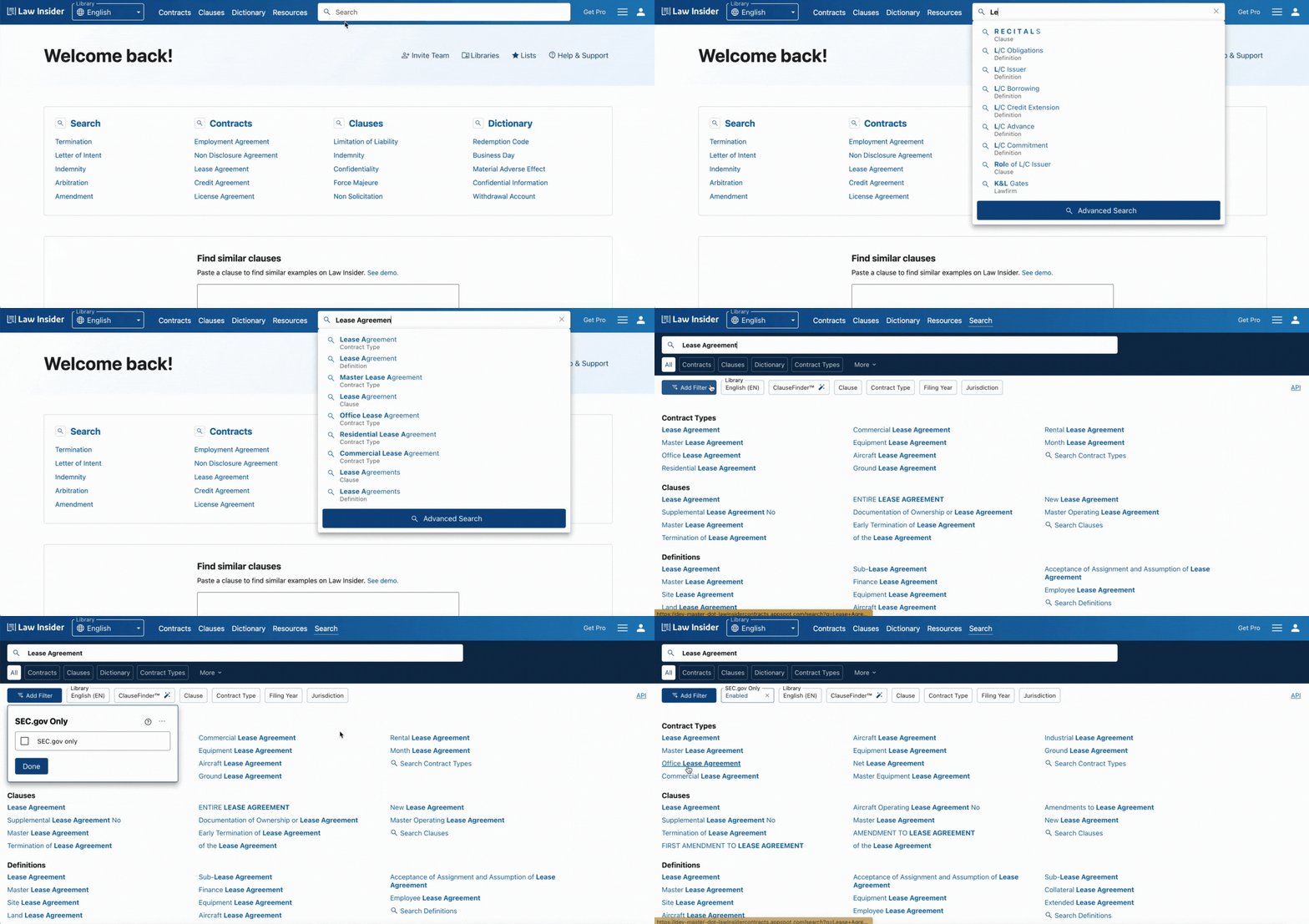
By default, our search results include documents from various public sources. To enhance your search experience on Law Insider, you can exclude non-SEC sources by using the "SEC.gov Only" filter.
To apply this filter:
- Navigate to the search page.
- Click on the "Add Filter" tab.
- Select the "SEC.gov Only" filter.
This will refine your results to include only documents hosted on SEC.gov and available through Law Insider.