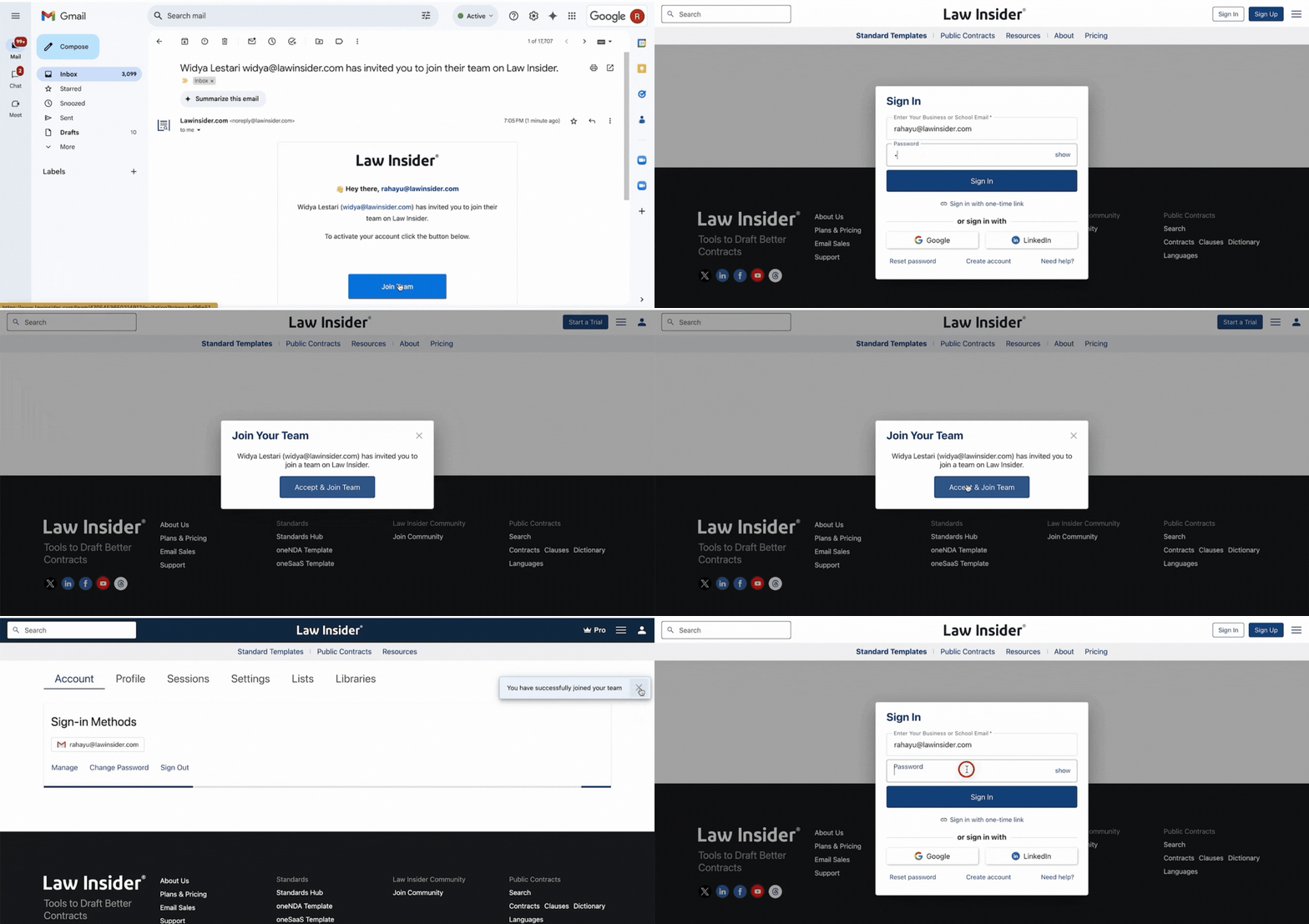
How to accept the team invitation and activate the account
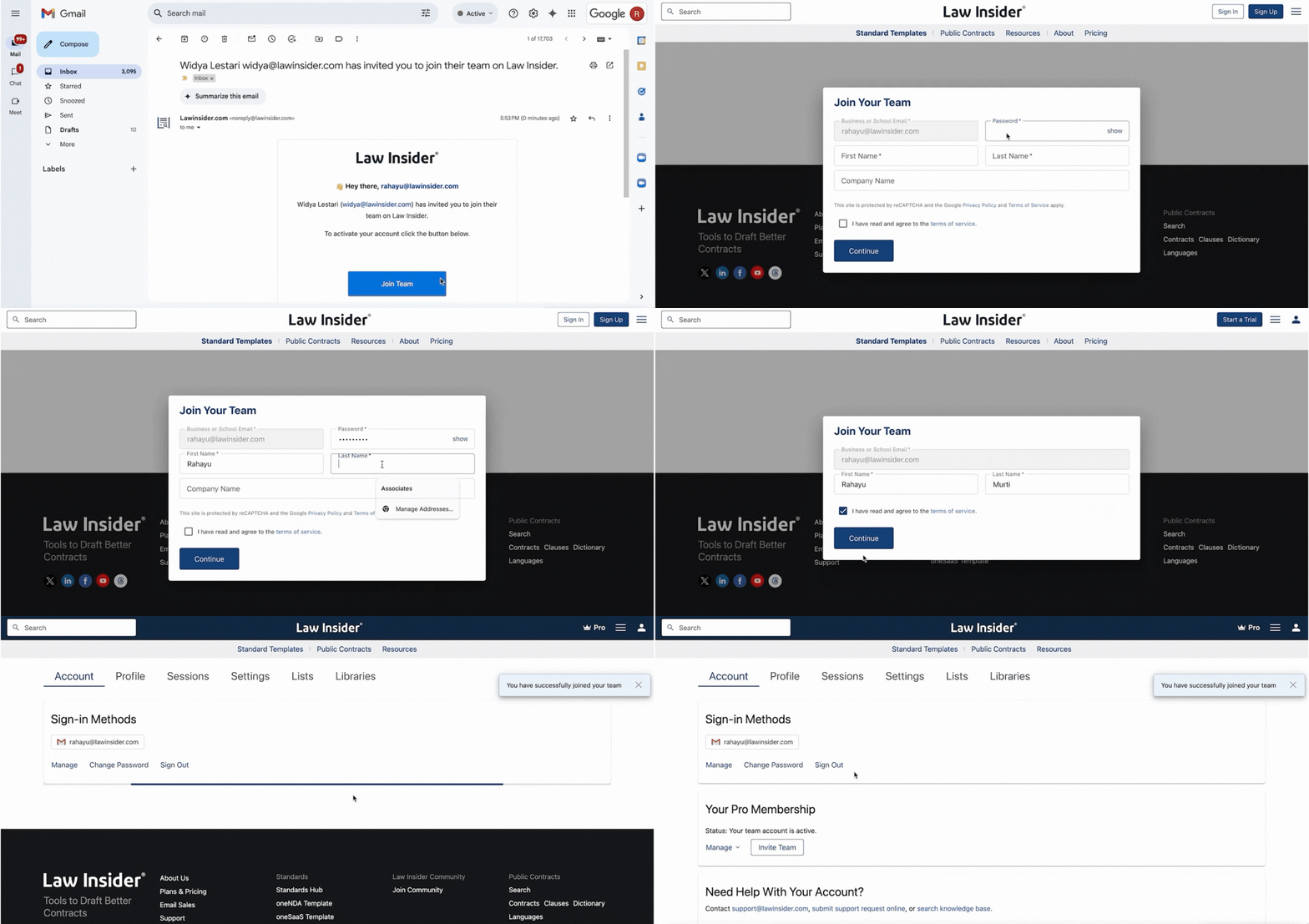
If you have been invited to join a team, you'll receive the invitation in your inbox (please check the spam folder as well). Click to activate the account and follow through with the activation process on your desktop.
- If you don't have an existing account, please follow through with the registration process to activate the account.
- If you have an existing account, please sign in to your account to activate the account and join the team.